Time recording for Australian law firms
Auto time: automatic time tracking for lawyers.
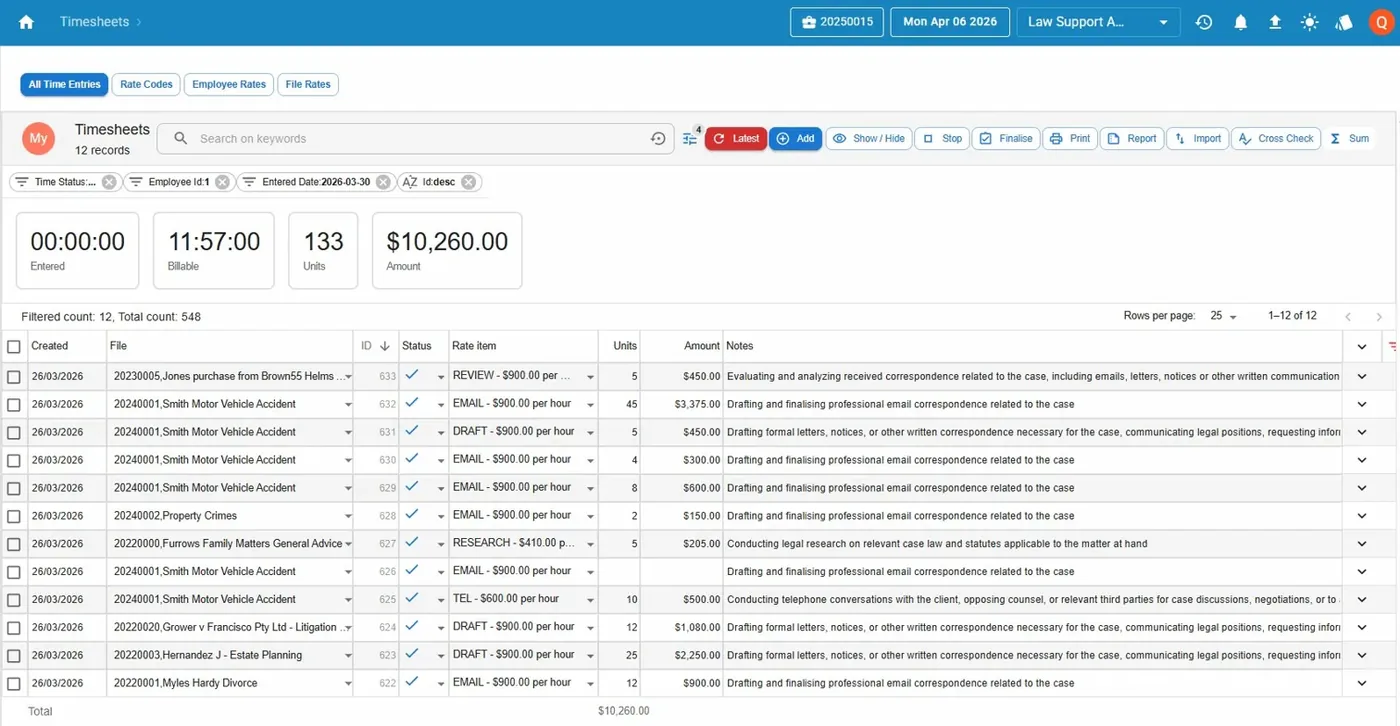
Law App records the time on each file as you work, suggests time entries and finds the days nobody recorded. Included for every firm, with no add-on.
Time recording for Australian law firms
Law App records the time on each file as you work, suggests time entries and finds the days nobody recorded. Included for every firm, with no add-on.
Auto time is automatic time tracking: the software records the time you spend on each file as you work, so you don't have to start a timer or rebuild your day from memory. It turns that time into suggested time entries for you to check and post.
Law App includes auto time for every firm, whichever way you pay. There is no auto time add-on to buy.
How it worksPosted time flows straight into legal billing, then to trust accounting and the general ledger, all in the same system.
Why it mattersTime that isn't recorded can't be billed. Short calls, emails and quick reviews are the easiest to forget, and rebuilding a day at 5pm misses them. Auto time records the work as it happens, and the missed time finder catches the days where nothing was entered at all.
What it costsCheck this with every supplier. Some charge for automatic time tracking separately.
| Law App | Smokeball | |
|---|---|---|
| Automatic time tracking | Auto time, included | AutoTime |
| Cost | Included for every firm, no add-on | $39 per user per month add-on on Grow, included on Prosper+ (AUD, excluding GST) |
| Pricing model | Per file opened, or per user with part-time rates | Per user, per month |
| Contract length | Single year only | Annual, 3 years financed |
Smokeball details come from its published pricing, as recorded in our comparison of legal practice management software in Australia, last verified on 14 August 2026. Prices can change, so check them with the supplier before you decide.
For a firm of ten fee earners, a $39 per user add-on is $390 a month, or $4,680 a year, before GST. In Law App that capability is part of the system.
Moving from Smokeball? Law App converts your data from LEAP, Smokeball, Actionstep, FilePro, LawMaster, Practice Evolve, LexisNexis Affinity, SILQ and Clio, including trust balances.
Short answers to the questions we hear most.
Ask for demo access and try Law App yourself. Call or email Caelun to book a demonstration. It takes about 20 minutes and covers auto time, billing and trust.
We do conversions from all major legal software: LEAP, Smokeball, Actionstep, FilePro, LawMaster, Practice Evolve, LexisNexis Affinity, SILQ and Clio. We handle the data conversion, trust accounting setup and staff training.